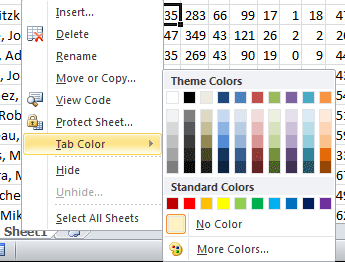
Microsoft Excel has tons of uses available to its users. But not everyone knows all the features that Excel has to offer. Some Excel tips will help you instantly become more productive, or use Excel more efficiently. Click through to see our top 10 Excel tips. … [Read more...]
Return all Characters in a Font
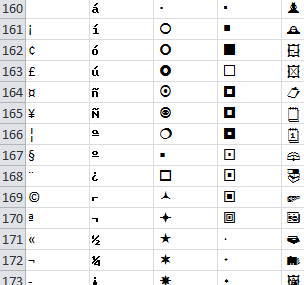
When you use a regular keyboard, you get plenty of options when it comes to the characters you get to type. In most cases the upper and lowercase letters, 0-9, and all of the symbols available to you will provide plenty of flexibility in your typing. On occasion though you might find yourself stuck on an American keyboard needing to type the British Pound (£), or Euro (€) … [Read more...]
7 Excel Formatting Tricks
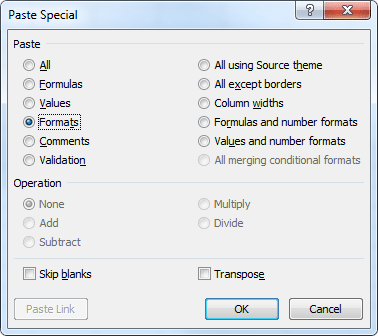
Microsoft Excel, like any other Office product offers it's users simple and intuitive ways to format your data. Many of these formatting options are great for using once or twice, but what if you find yourself needing the same format dozens of times, or need a format that doesn't exist? The following Excel formatting tricks will help you work more efficiently. … [Read more...]
3D Sum Formula Reference

On occasion, it is useful to keep track of similar data in separate worksheets. Data such as monthly, quarterly, or annual financial information isn't always best to show in one spreadsheet. However, there may be times when you want to see a total of the data on each worksheet. The 3D Sum Formula will let you easily add up data across the worksheets without having a long … [Read more...]
Add Values Between Two Dates
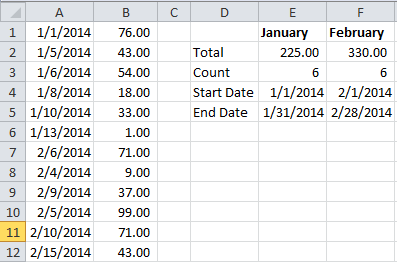
If you are keeping records in an Excel spreadsheet that contains a column for dates and another column for some figure that can be added up, such as sales, you can easily use a formula to add values between two dates. The formula uses the equation, which basically adds up a range of cells based on a certain set (or sets) of criteria. In this case we will use two dates as the … [Read more...]